

Naming Conventions for Niagara Graphics That Scale Across Technicians
Most Niagara graphics don’t break because of bad design.
They break because naming wasn’t built to scale.
Inside the Niagara Framework, naming conventions affect more than aesthetics. They influence searchability, tagging accuracy, alarm clarity, reporting structure, and cross-site reusability.
When naming is inconsistent, every technician interprets the system differently.
When naming is structured, technicians inherit clarity instead of confusion.
Here’s how to build naming conventions for Niagara graphics that scale across engineers, subcontractors, and service teams.
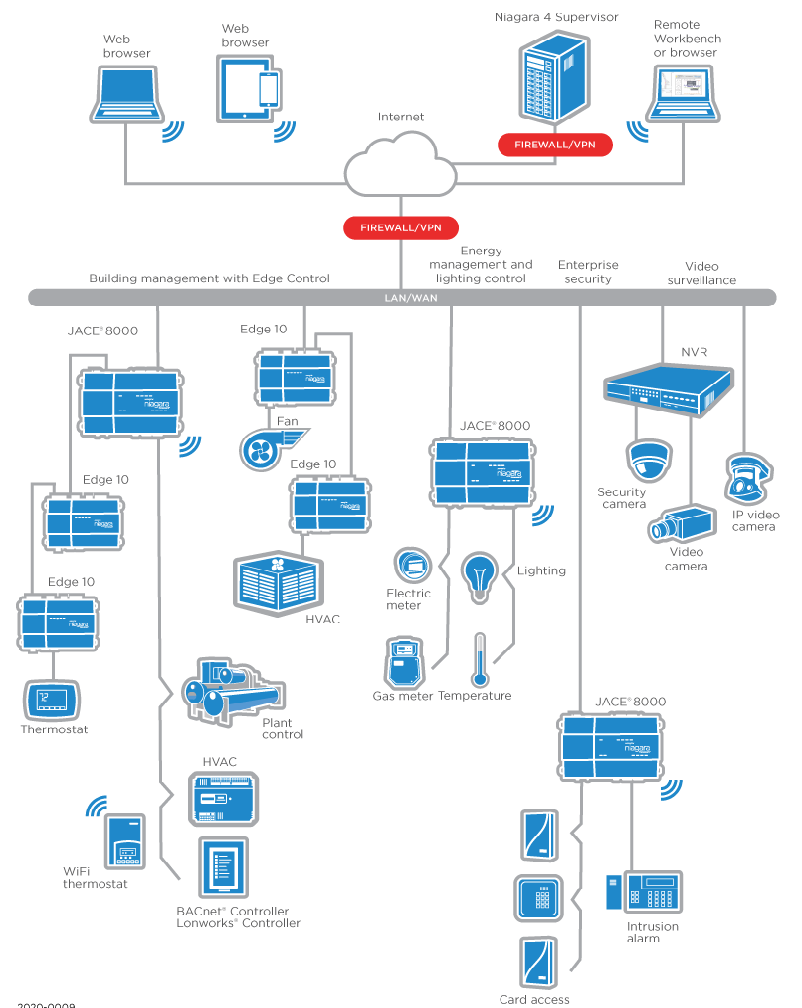
Why Naming Is Infrastructure, Not Preference
If two technicians label the same air handler differently, the problem isn’t style — it’s system drift.
Example:
AHU-1
AirHandler01
RTU-AHU-01
Main Air Handler
All may refer to the same piece of equipment. None are interchangeable.
In Niagara N4, inconsistent naming impacts:
Station tree navigation
Alarm logs
Global searches
Analytics
Historical data review
Multi-site reporting
Naming isn’t cosmetic. It’s structural.
Core Principles of Scalable Niagara Naming
Before defining syntax, align on principles:
Predictability – Every technician should know what something will be named before opening the station.
Brevity – Names must be readable in alarm logs and navigation trees.
Consistency – The rule never changes from project to project.
Hierarchy Awareness – Names should reflect system structure.
Tag Compatibility – Naming should complement tagging, not replace it.
Equipment Naming Structure
Start with equipment.
A scalable format might look like:
SITE-BLDG-FLR-EQTYPE-NUM
Example:
WYOM-AHU-02
HQ-RTU-03
BLDG1-VAV-117
What matters isn’t the exact syntax. What matters is that:
Every project follows the same pattern.
Every technician knows the format.
The order never changes.
Avoid mixing descriptive text and abbreviations randomly.
Define approved equipment prefixes:
AHU
RTU
VAV
EF
SF
CHWP
CWP
CT
BOIL
Then document them.
Point Naming Conventions
Point naming must be even tighter than equipment naming.
Points often follow:
EQTYPE-NUM-POINTTYPE
Example:
AHU-02-SAT
RTU-03-CLG_CMD
VAV-117-ZNT
Define standardized point abbreviations:
SAT – Supply Air Temp
RAT – Return Air Temp
DAT – Discharge Air Temp
CLG_CMD – Cooling Command
HTG_CMD – Heating Command
OCC – Occupancy Status
Without abbreviation standards, technicians invent new ones. That’s where fragmentation begins.
Alarm Naming That Works in the Real World
Alarms appear in logs and notifications — not just graphics.
Bad example:
“High Temp”
Better:
AHU-02 Supply Air Temp High
Even better:
AHU-02 SAT High Alarm
Define alarm naming as:
EQTYPE-NUM-POINT-DESCRIPTOR
Consistency improves:
Sorting
Filtering
Clarity during troubleshooting
Cross-site alarm analytics
Alarm naming must be instantly interpretable without opening the graphic.
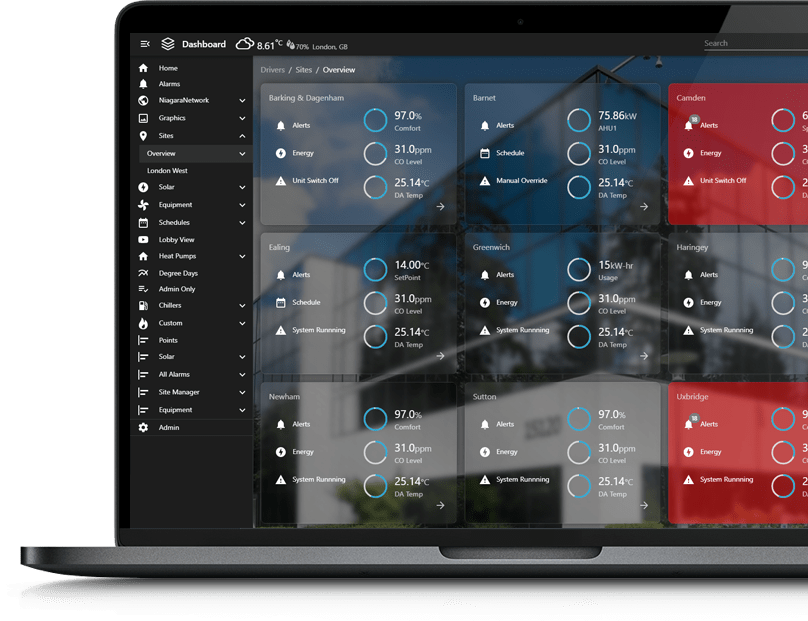
Avoid These Common Scaling Failures
1. Technician-Specific Abbreviations
If one engineer uses “SA-T” and another uses “SAT,” drift has already started.
2. Changing Formats Mid-Portfolio
Never change structure halfway through deployments unless you’re formally migrating legacy sites.
3. Embedding Location Information Randomly
If floor numbers appear sometimes at the beginning and sometimes at the end, hierarchy collapses.
4. Overly Long Names
If naming exceeds what’s readable in alarm consoles or mobile views, it defeats its purpose.
How to Roll This Out Across Technicians
You don’t need a massive overhaul.
Start with:
A one-page naming standard document
Defined approved equipment prefixes
Defined point abbreviation list
A required format template
A compliance review before turnover
Make naming part of the project kickoff, not the project cleanup.
Require signoff before graphics are delivered.
Naming only scales when it’s enforced.
Why This Protects Reusability
Inside the Niagara ecosystem, reusable graphics and component libraries depend on consistent structure.
If equipment and points are named predictably:
Templates plug in cleanly
Tag-based dashboards work reliably
Global search becomes powerful
Cross-site analytics remain clean
Future expansions integrate faster
Inconsistent naming forces manual adjustments. Manual adjustments increase labor.
Labor erodes margin.
FAQs
Why are naming conventions so important in Niagara graphics?
Because naming affects navigation, alarms, analytics, and reusability. Inconsistent naming creates fragmentation across projects.
Can tagging replace strict naming rules?
No. Tagging enhances structure, but naming still affects readability in alarm logs, station trees, and search results.
Should naming include full descriptive text?
No. Use standardized abbreviations for brevity and consistency, especially for alarms and point identifiers.
What’s the biggest mistake integrators make with naming?
Letting each technician decide format independently. Naming must be defined at the company level.
Final Thoughts
If naming conventions depend on individual preference, your graphics are not scalable.
Define structure once.
Document it clearly.
Enforce it across technicians.
Naming discipline is not about aesthetics — it’s about operational consistency.
If you’re ready to formalize naming conventions across your Niagara portfolio — and align them with reusable graphics standards — that’s a process we help integrators implement properly.